Monitoring
Zabbix
Slack Alerting
Configuring Slack
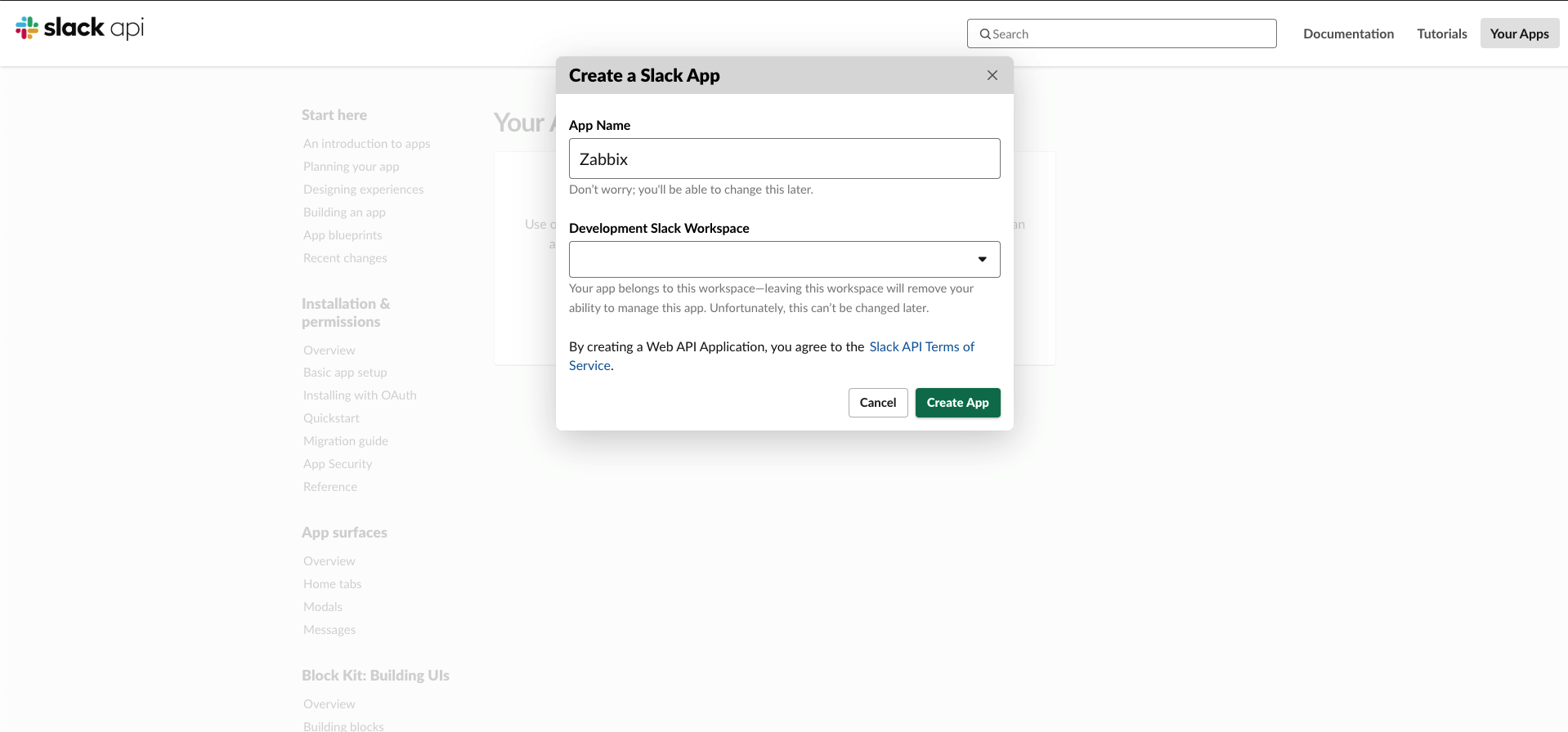
Go to https://api.slack.com/apps. Create a new app called "Zabbix".
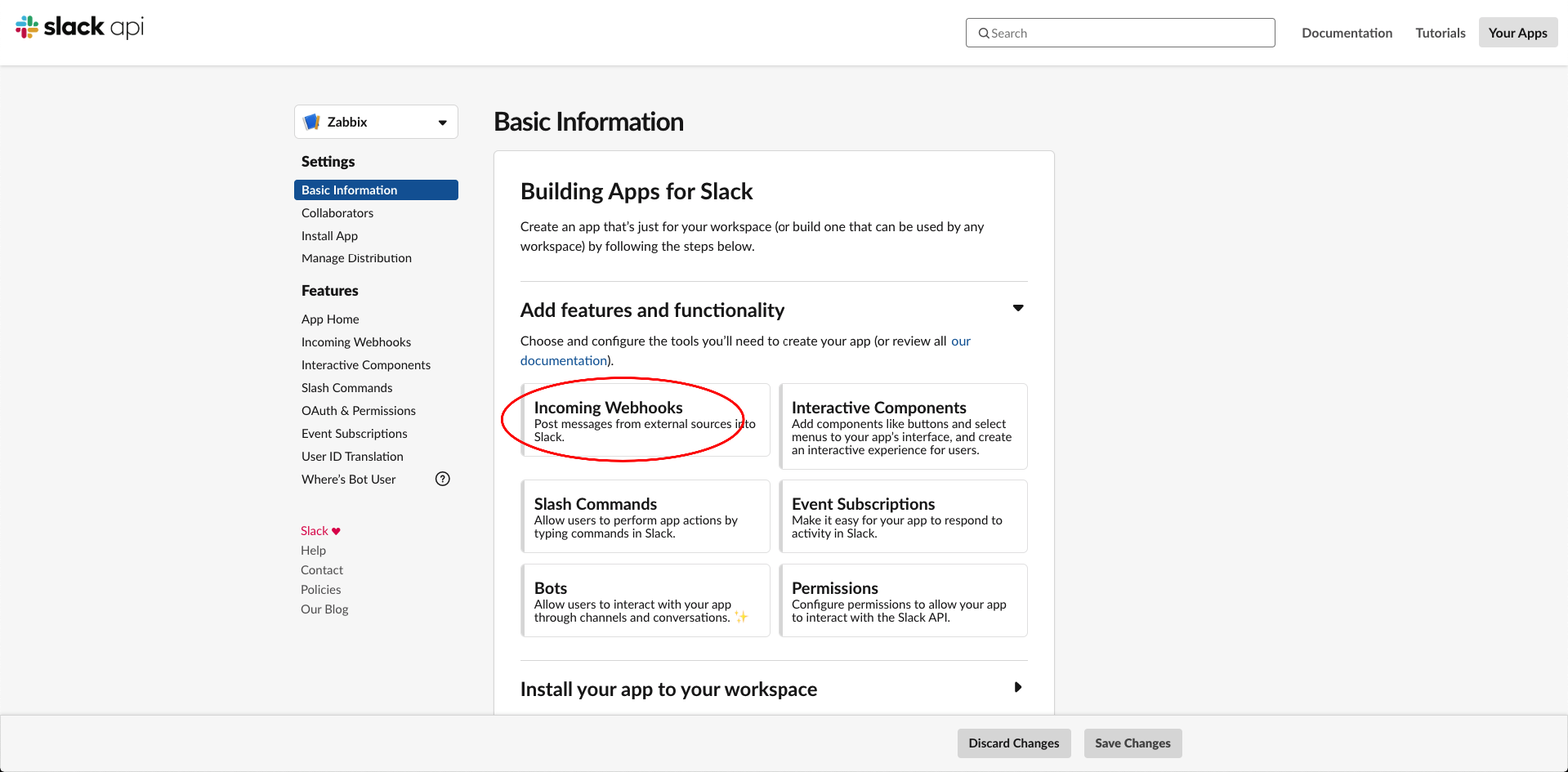
Create an Incoming Webhook.
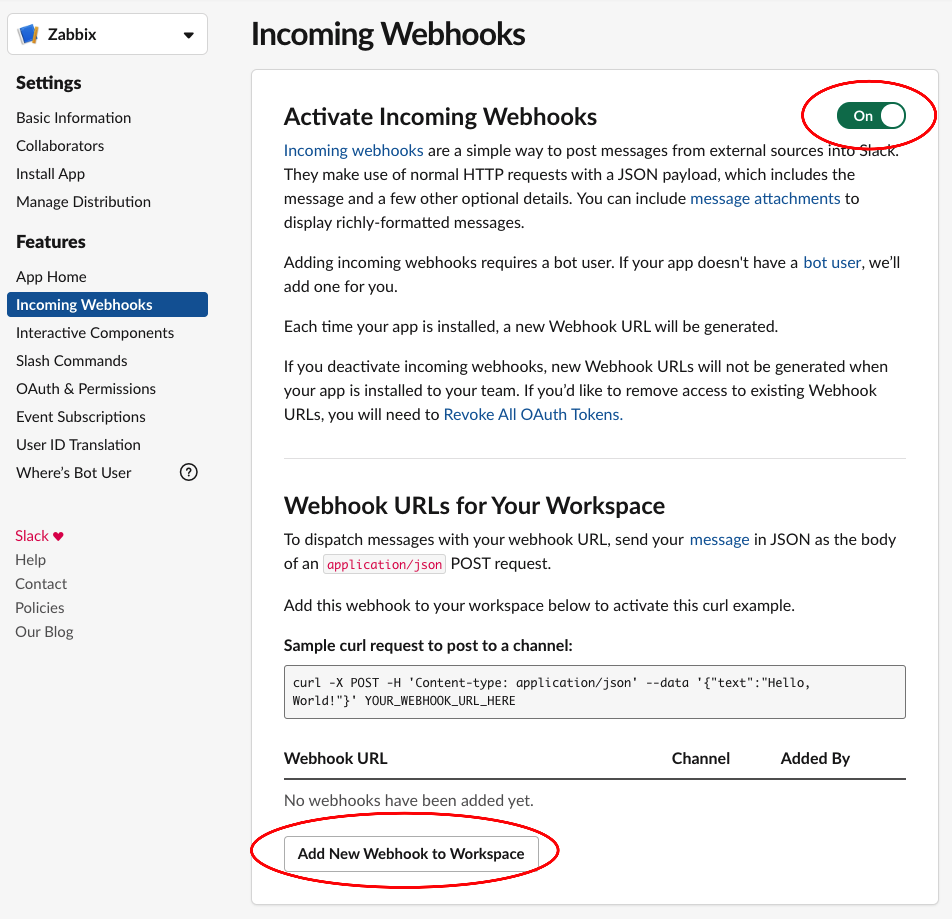
Copy the curl request to /usr/lib/zabbix/alertscripts/slackalerts.sh.
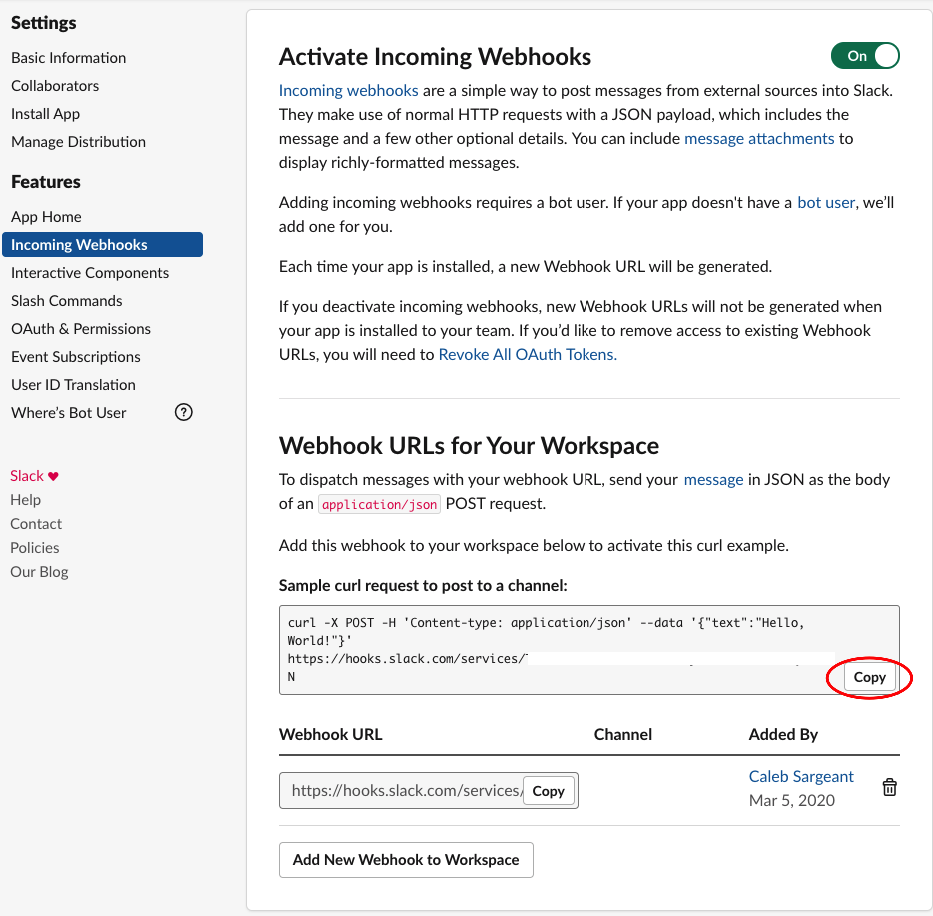
Change '{"text":"Hello, World!"}' to '{"text":"'"$1"'"}'.
Test your configuration on Zabbix with /usr/lib/zabbix/alertscripts/slackalerts.sh test.
Configuring Zabbix
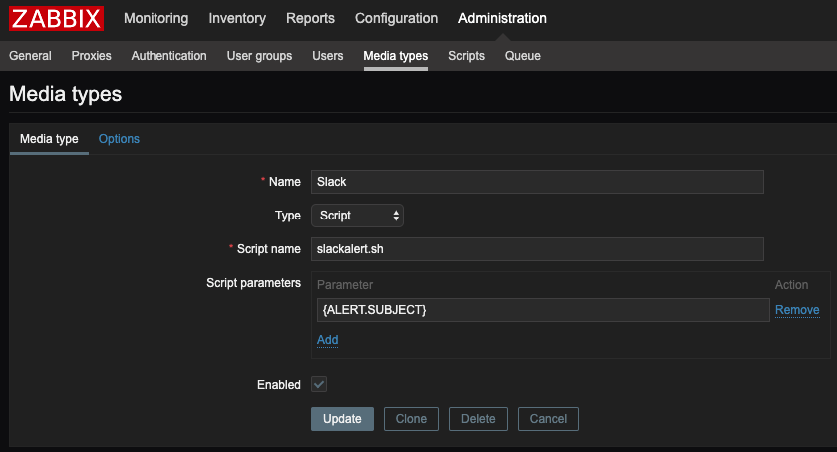
Create the Media Type in Zabbix.
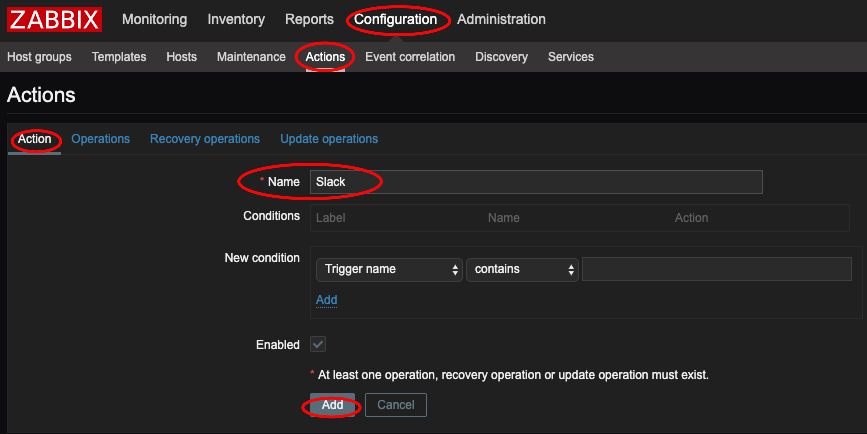
Create an Action and an Operation in Operations, Recovery operations, and Update operations.
Nice Default subjects to use: Create {ZABBIX.SERVER} in Administration > General > Macros
[{ZABBIX.SERVER}] - [{HOST.HOST}] Problem: {EVENT.NAME}[{ZABBIX.SERVER}] - [{HOST.HOST}] Resolved: {EVENT.NAME}[{ZABBIX.SERVER}] - [{HOST.HOST}] Updated problem: {EVENT.NAME} - {USER.FULLNAME}
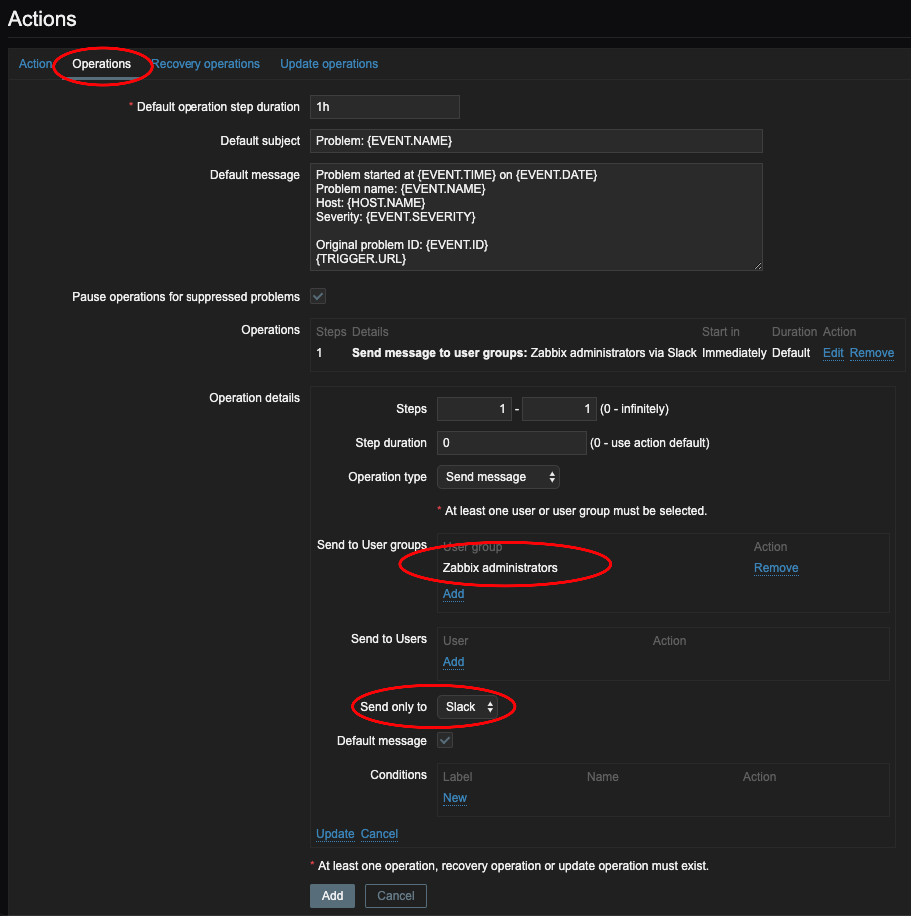
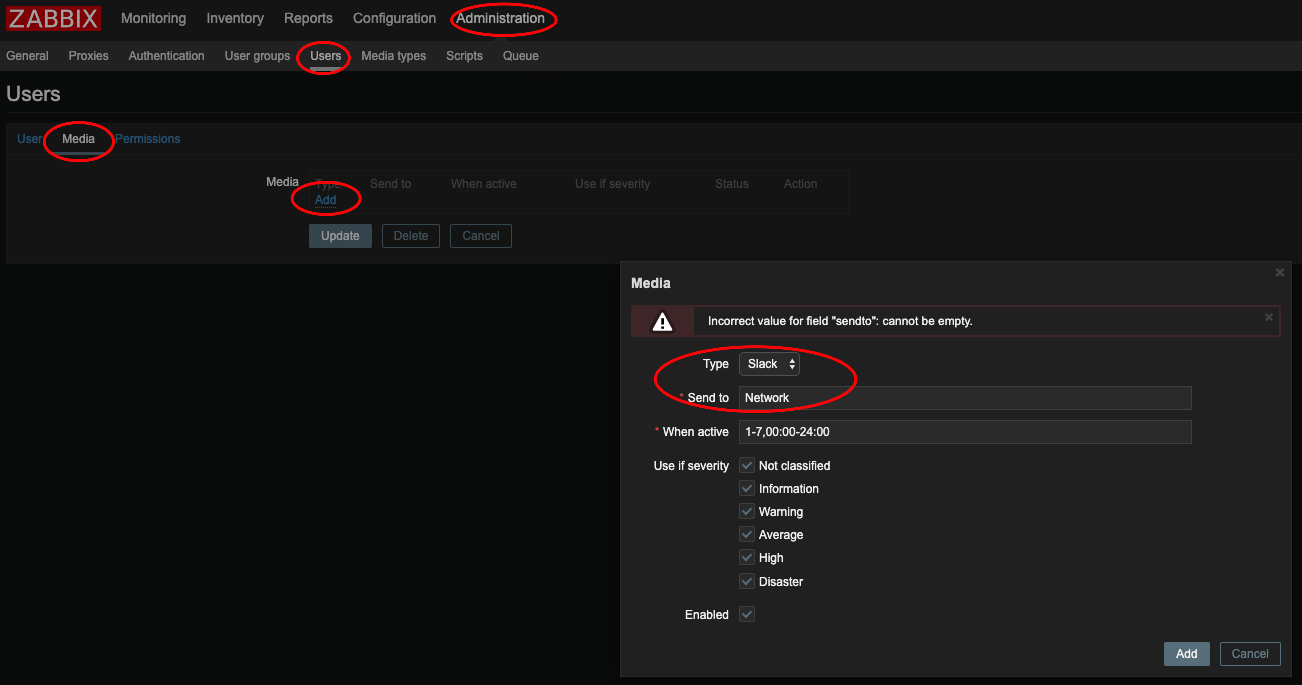
Add the Media to the Administrator.