ASAv
AWS
Important Caveats
- Launching through the AWS Marketplace does not allow you to input the Day 0 Configuration, which means you will not be able to contact the device. Ensure that you create the ASAv via EC2 > Launch Instance.
- Also note that if you want to test the difference between BYOL and standard, whichever you subscribe to last will change the subscription of all ASAvs.
- The initial interface that gets created with the ASAv cannot be deleted or dissociated and is exclusively used for the management interface. The second interface you associate is g0/0, the third interface is g0/1, etc. If you remove g0/0, g0/1 will become g0/1.
- You need to reboot the ASAv after modifying the interfaces.
- You need to license the ASAv before the ASA allows AnyConnect configuration.
- ASAv AnyConnect can only be done via Smart Licensing. The ASAv License can be done via the BYOL or Standard AWS license models.
Useful Links
- https://www.cisco.com/c/en/us/td/docs/security/asa/asa95/asav/quick-start/asav-quick/asav-aws.html
- https://aws.amazon.com/marketplace/pp/B00WRGASUC?qid=1593698881714&sr=0-2&ref_=srh_res_product_title
Launch Steps
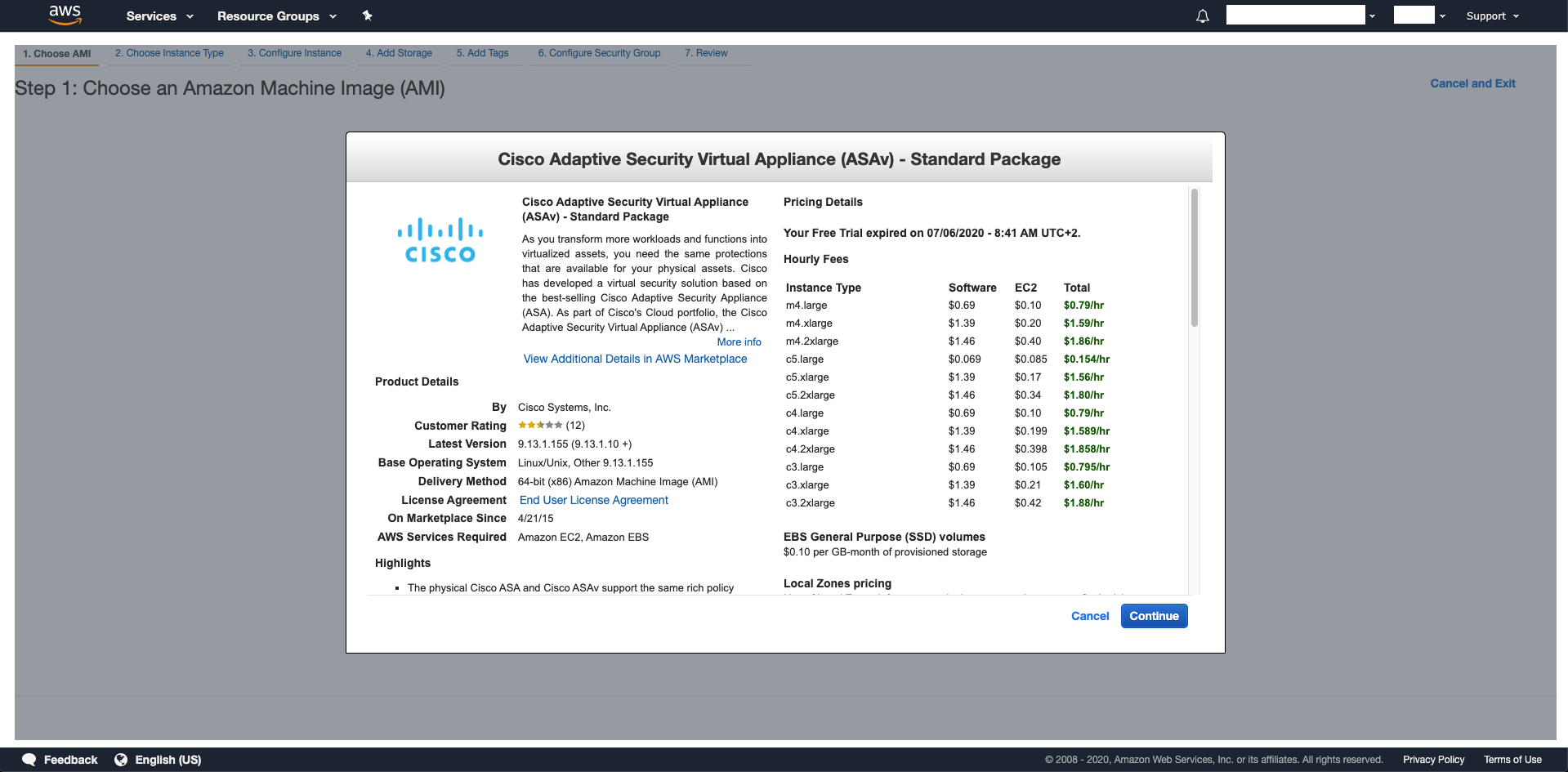
The process to launch a BYOL ASAv as opposed to the Standard AWS ASAv is the same:
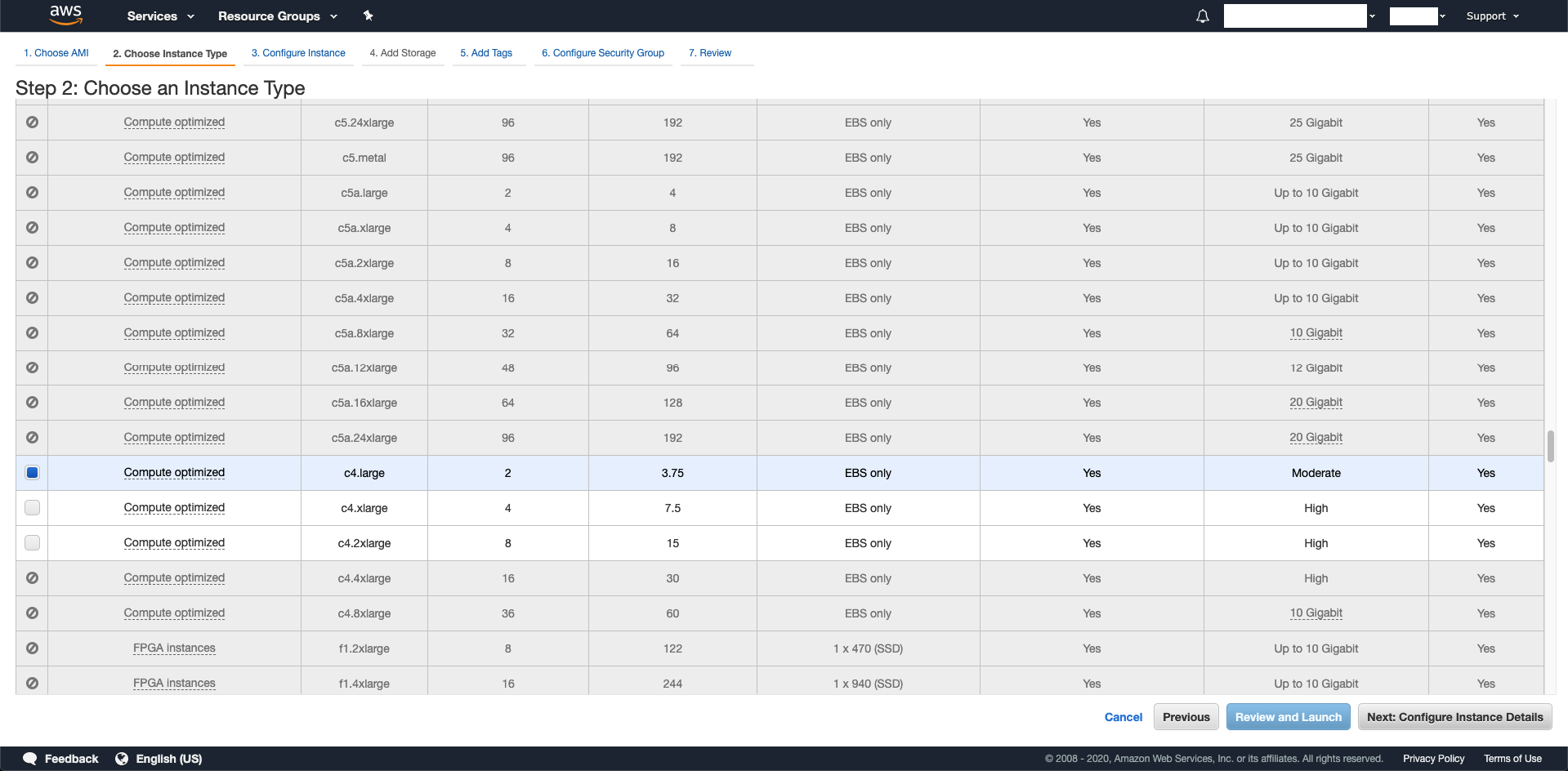
c4.large is the recommended size (to start with):
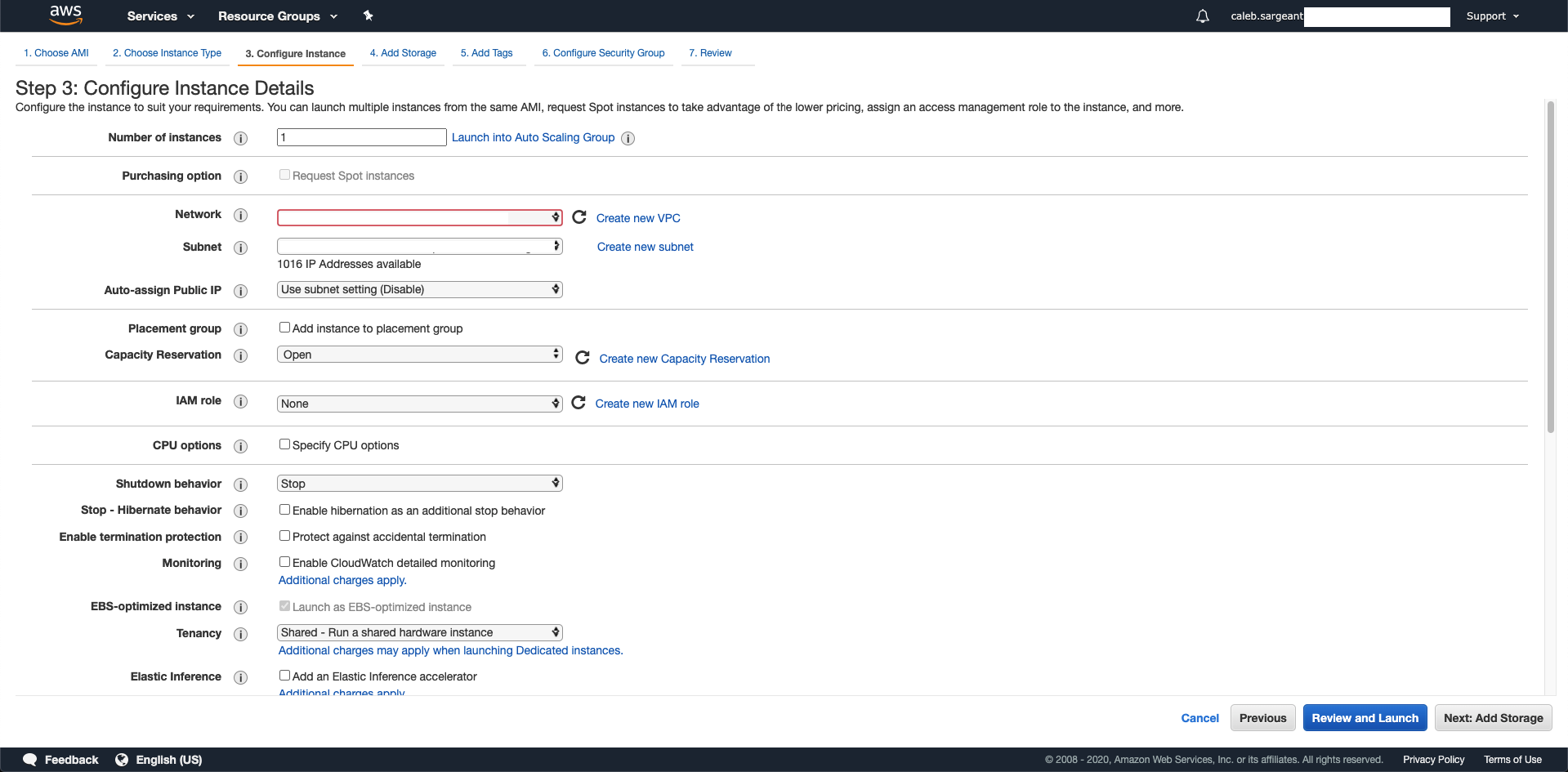
Configure your network settings:
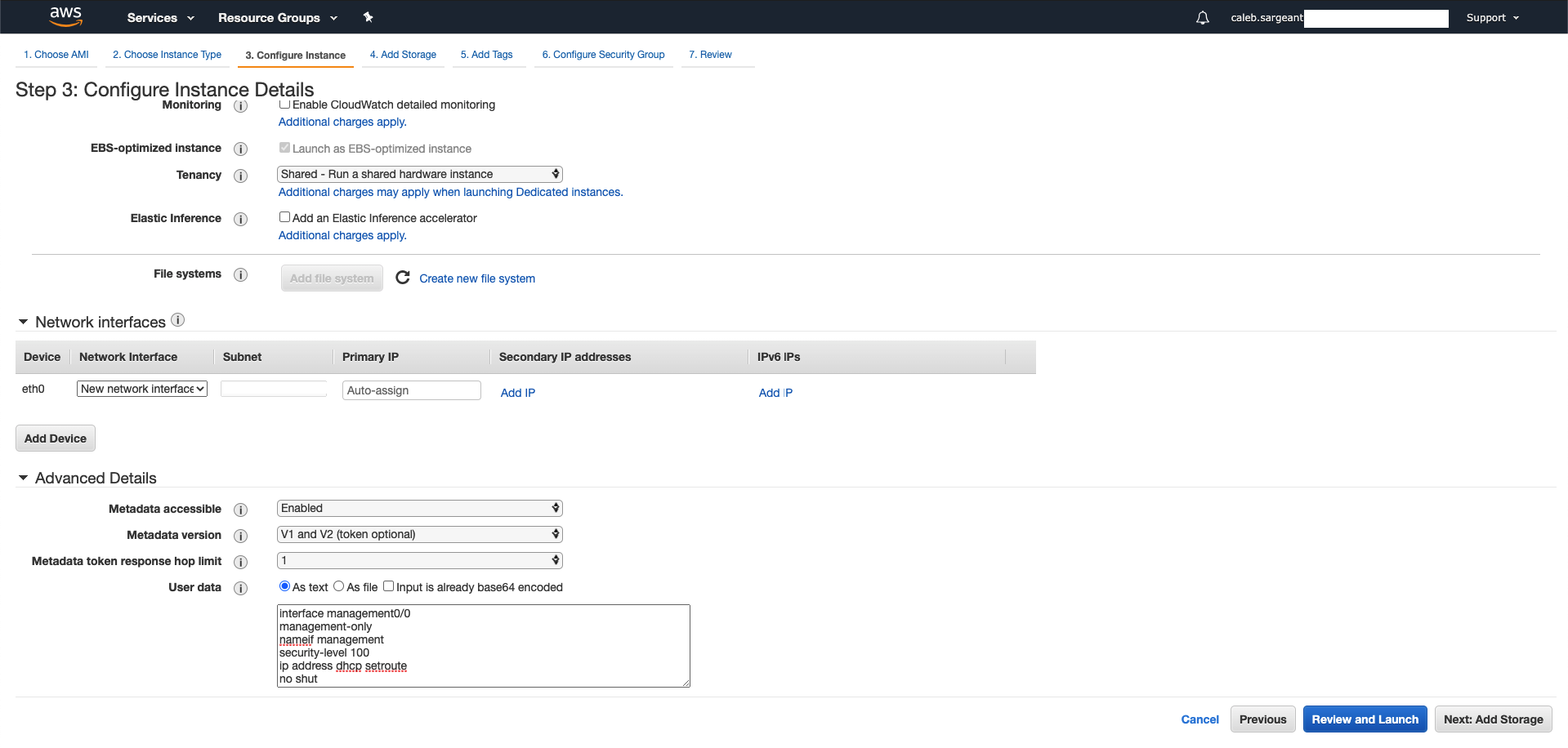
Configure ASAv interfaces and set day 0 configuration.
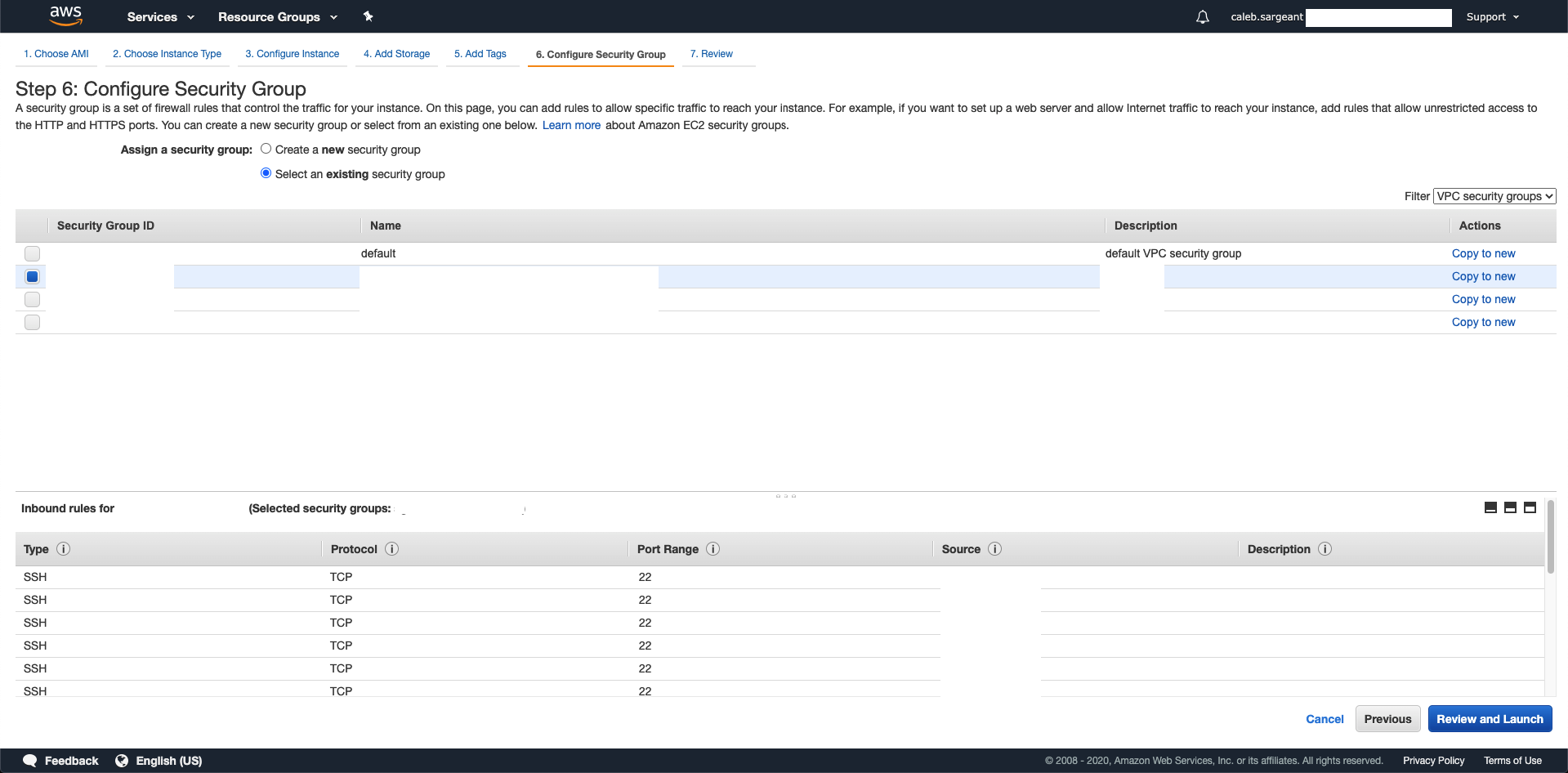
Skip Storage and Tags, select (or create) your Security Group for ASAv:
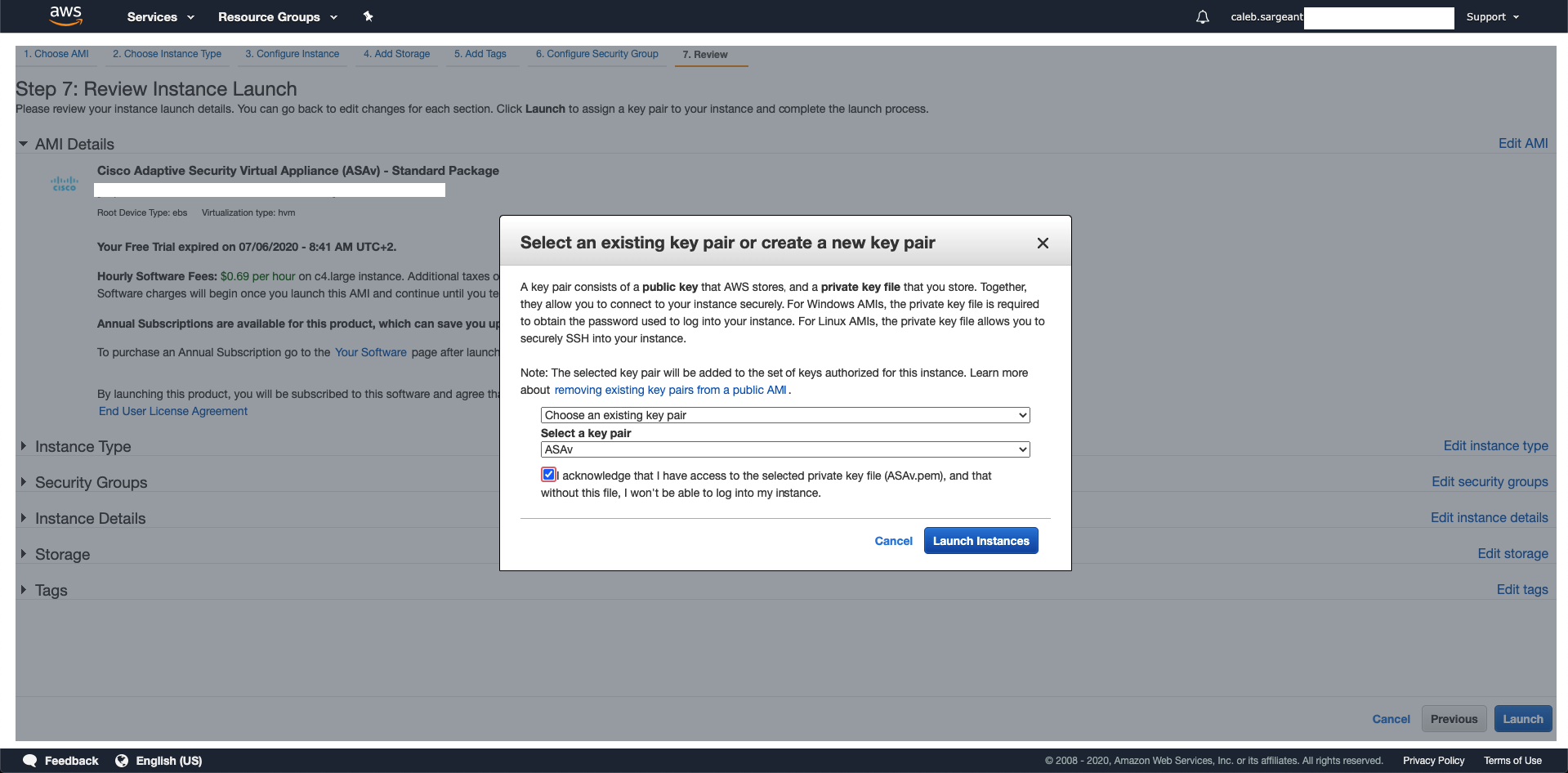
Select or create the Key Pair for your ASAv:
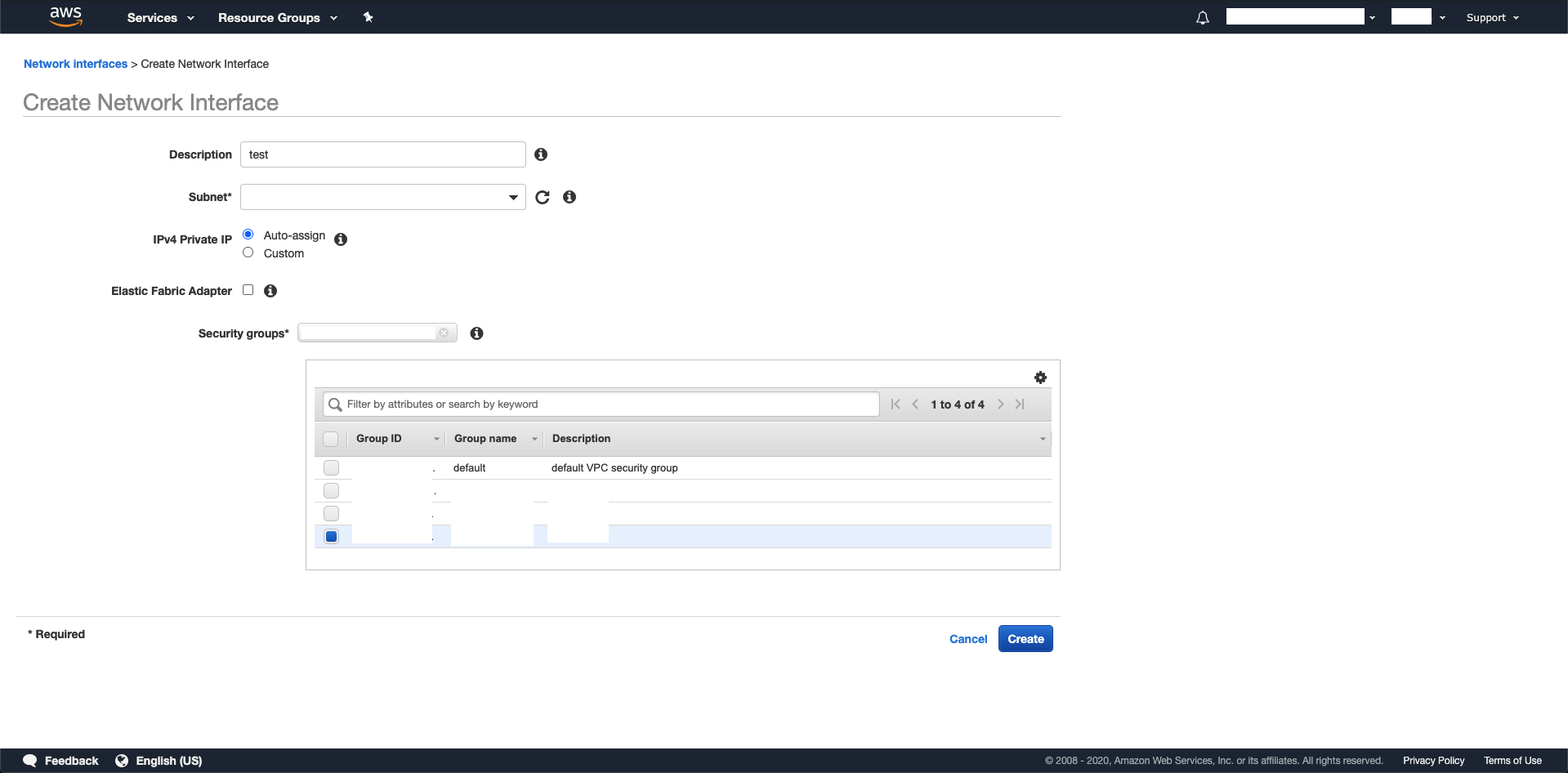
Then, create 2 network interfaces, one in your public subnet (outside), to attach elastic IP, and the other in your private subnet (inside) via EC2 > Network Interfaces > Create Network Interface:
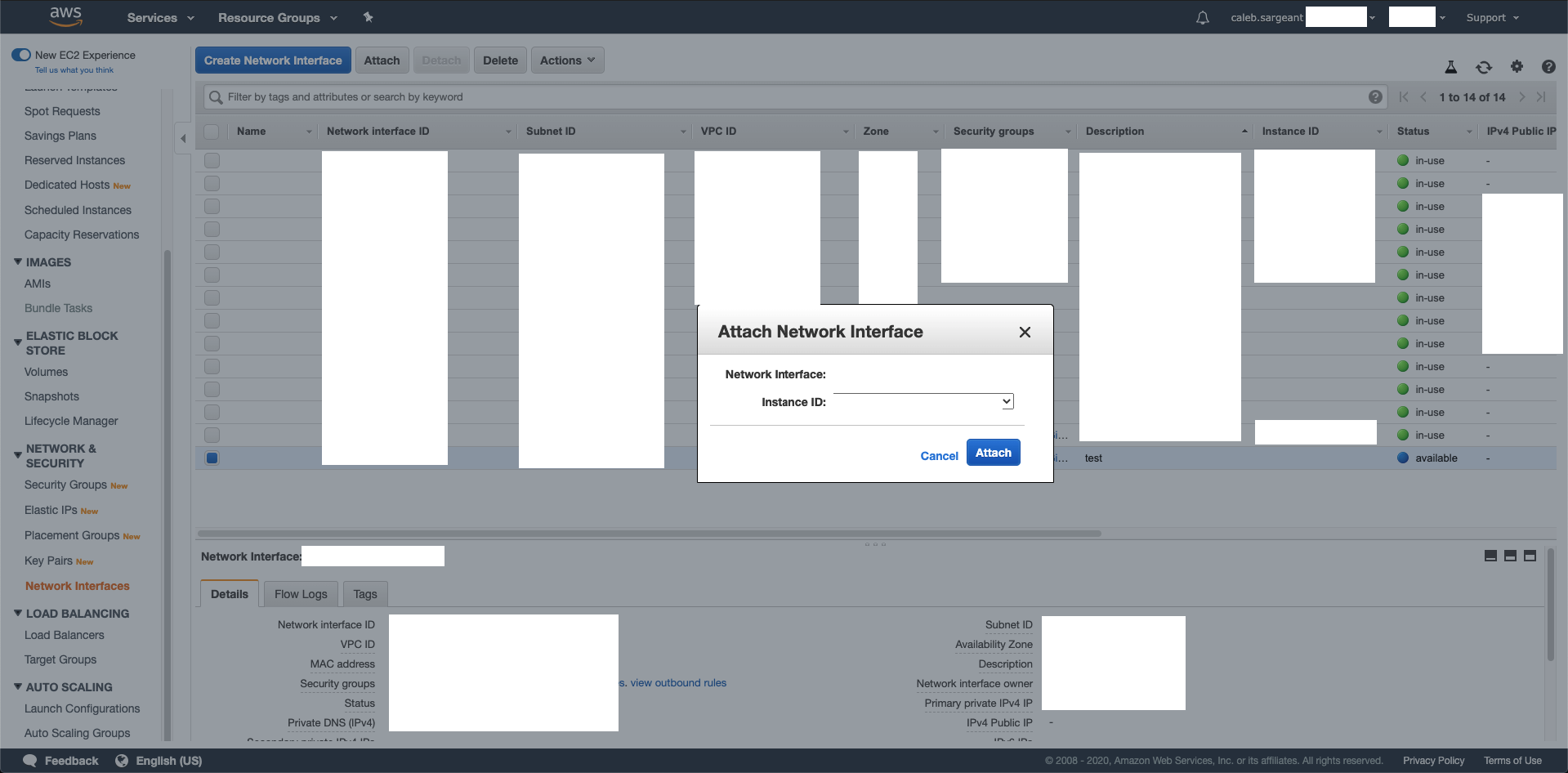
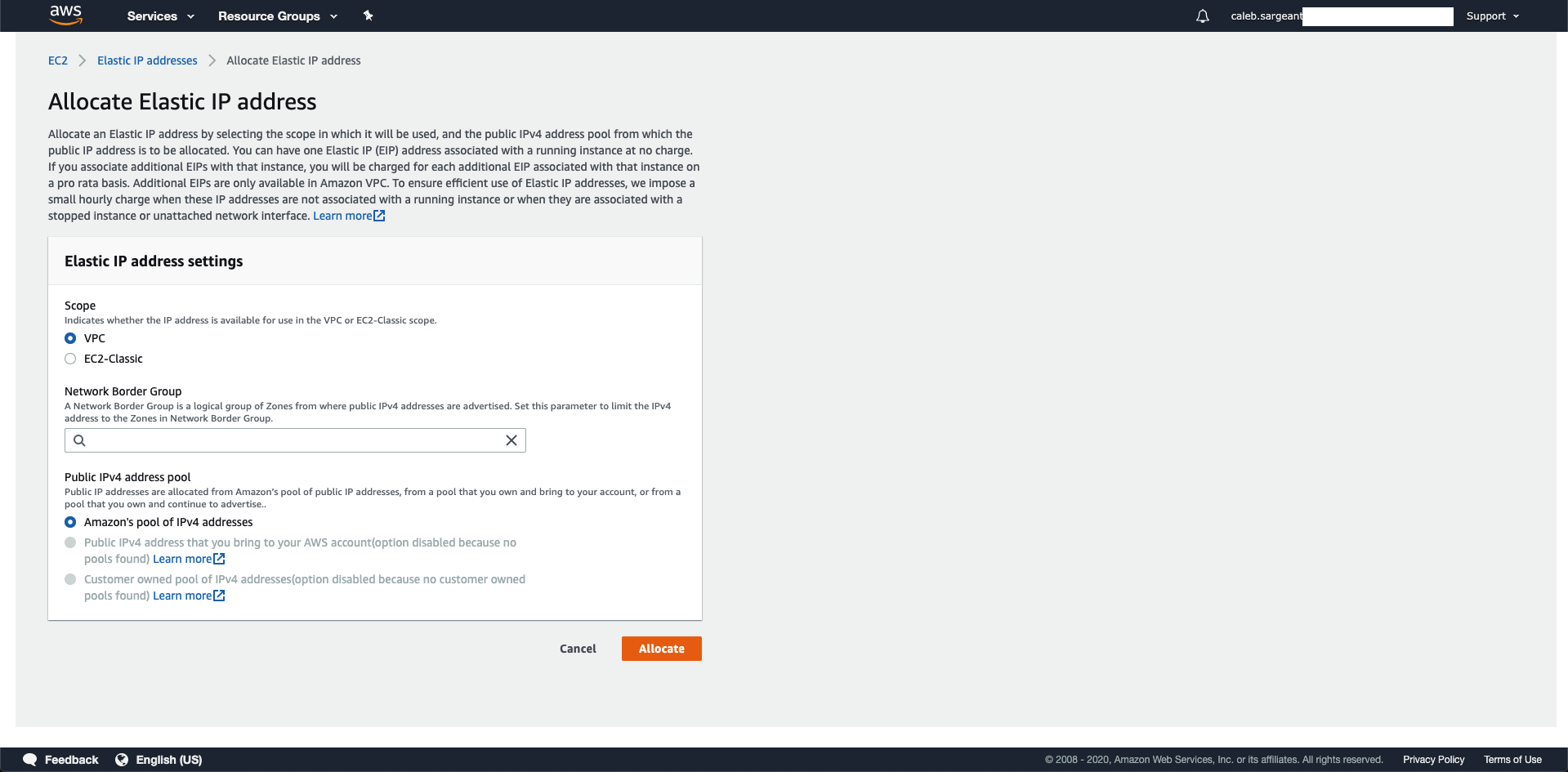
Allocate an Elastic IP:
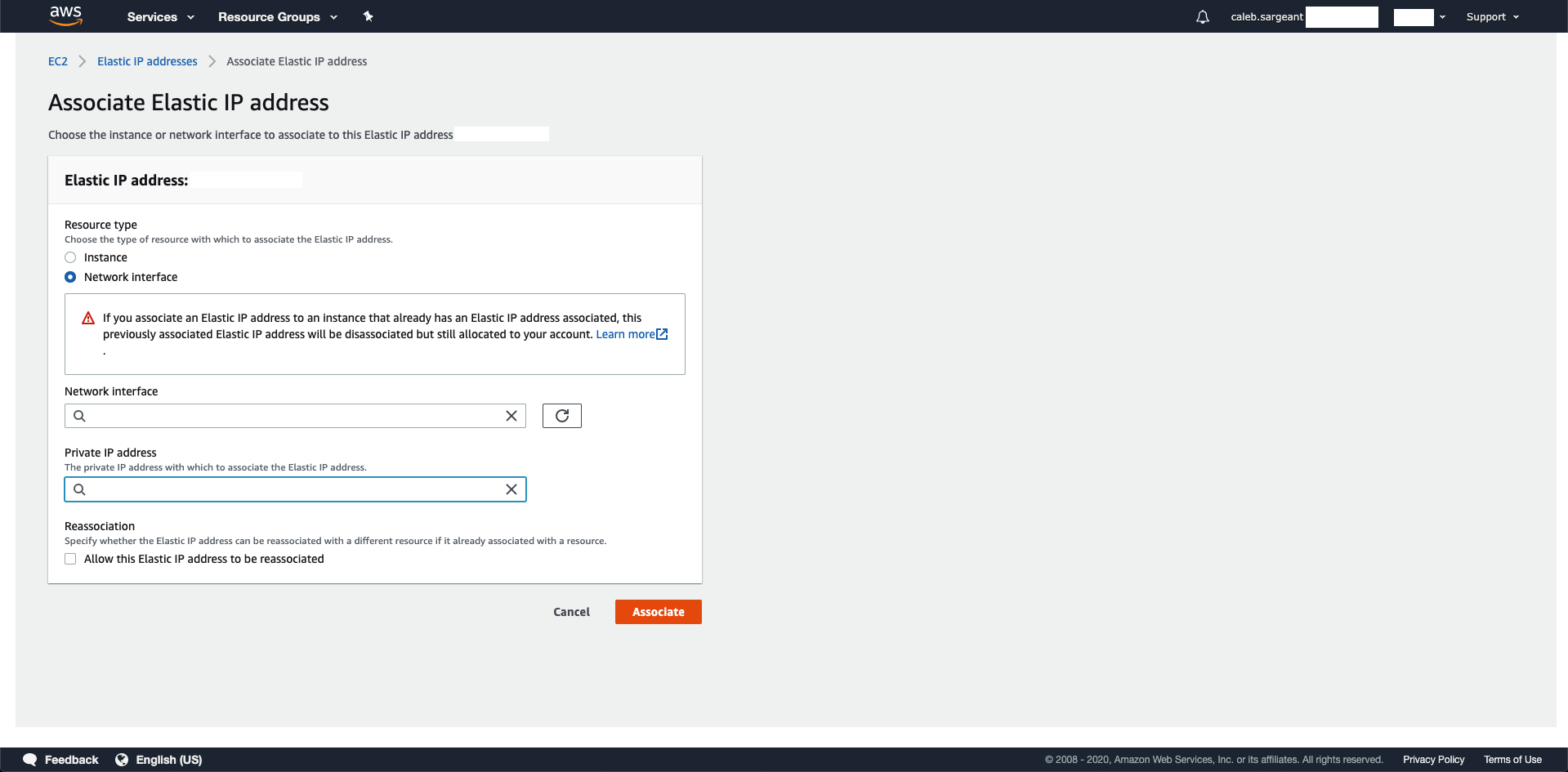
Associate the created Elastic IP to your public (outside) interface:
Day 0 Configuration
In the below day 0 configuration, we will be disabling the management interface to have only 2 interfaces (outside, inside). Management will be done via outside, as per standard with physical ASAs in offices.
interface management0/0
management-only
nameif management
security-level 100
no ip address
no shut
!
interface g0/0
nameif outside
security-level 0
ip address dhcp setroute
no shut
!
interface g0/1
nameif inside
security-level 100
ip address dhcp setroute
no shut
!
same-security-traffic permit inter-interface
same-security-traffic permit intra-interface
!
crypto key generate rsa modulus 2048
ssh 0 0 management
ssh 0 0 outside
http 0 0 management
http 0 0 outside
ssh timeout 30
ssh scopy enable
http server enable 443
username admin SUPERSECUREPASSWORD privilege 15
username admin attributes
service-type admin
dns domain-lookup management
DNS server-group DefaultDNS
name-server 1.1.1.1
ntp server 169.254.169.123
Using S3 as Software Storage Location
- https://aws.amazon.com/premiumsupport/knowledge-center/s3-aws-ip-addresses-access/
- https://docs.aws.amazon.com/AmazonS3/latest/dev/example-bucket-policies.html
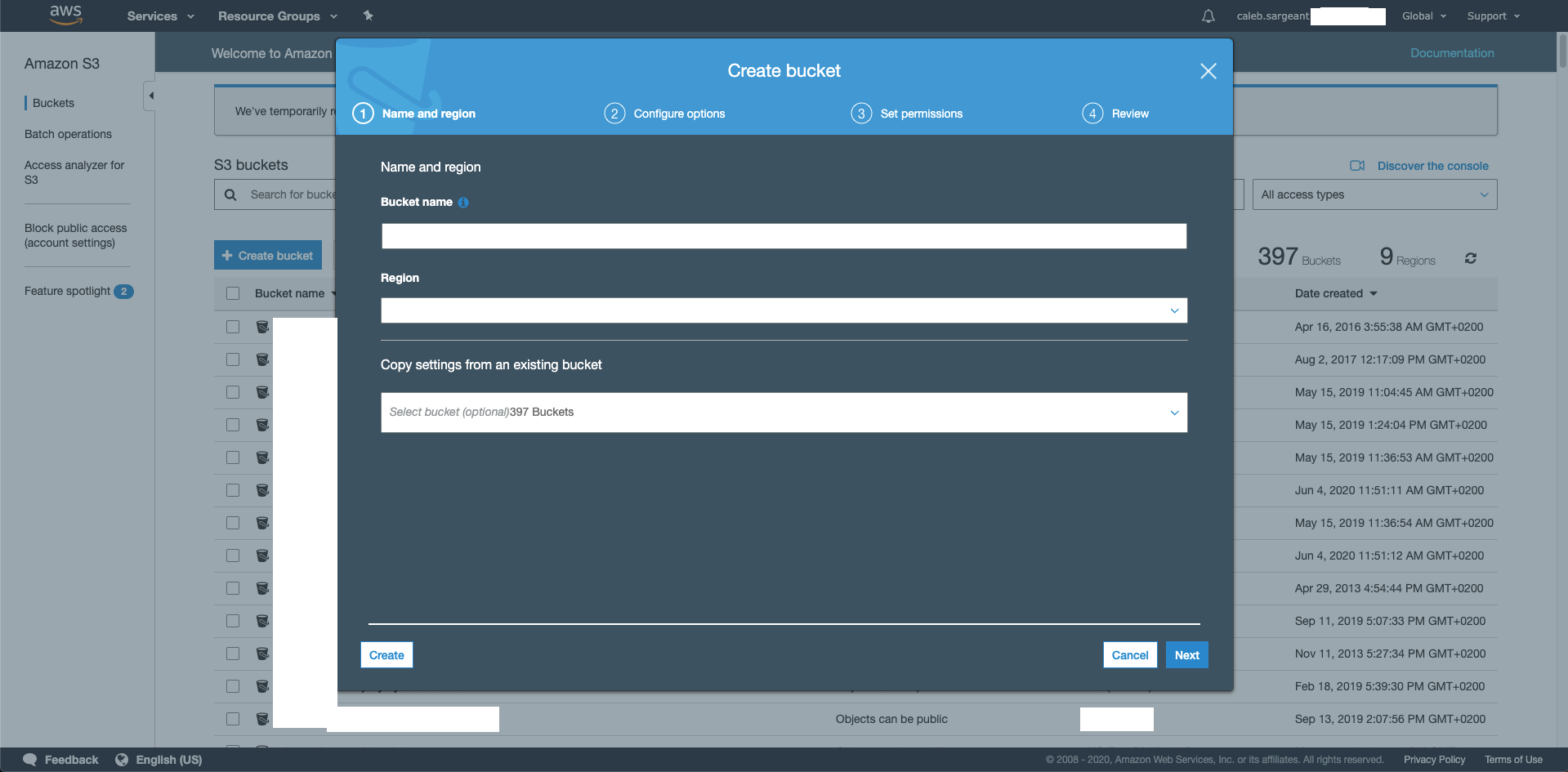
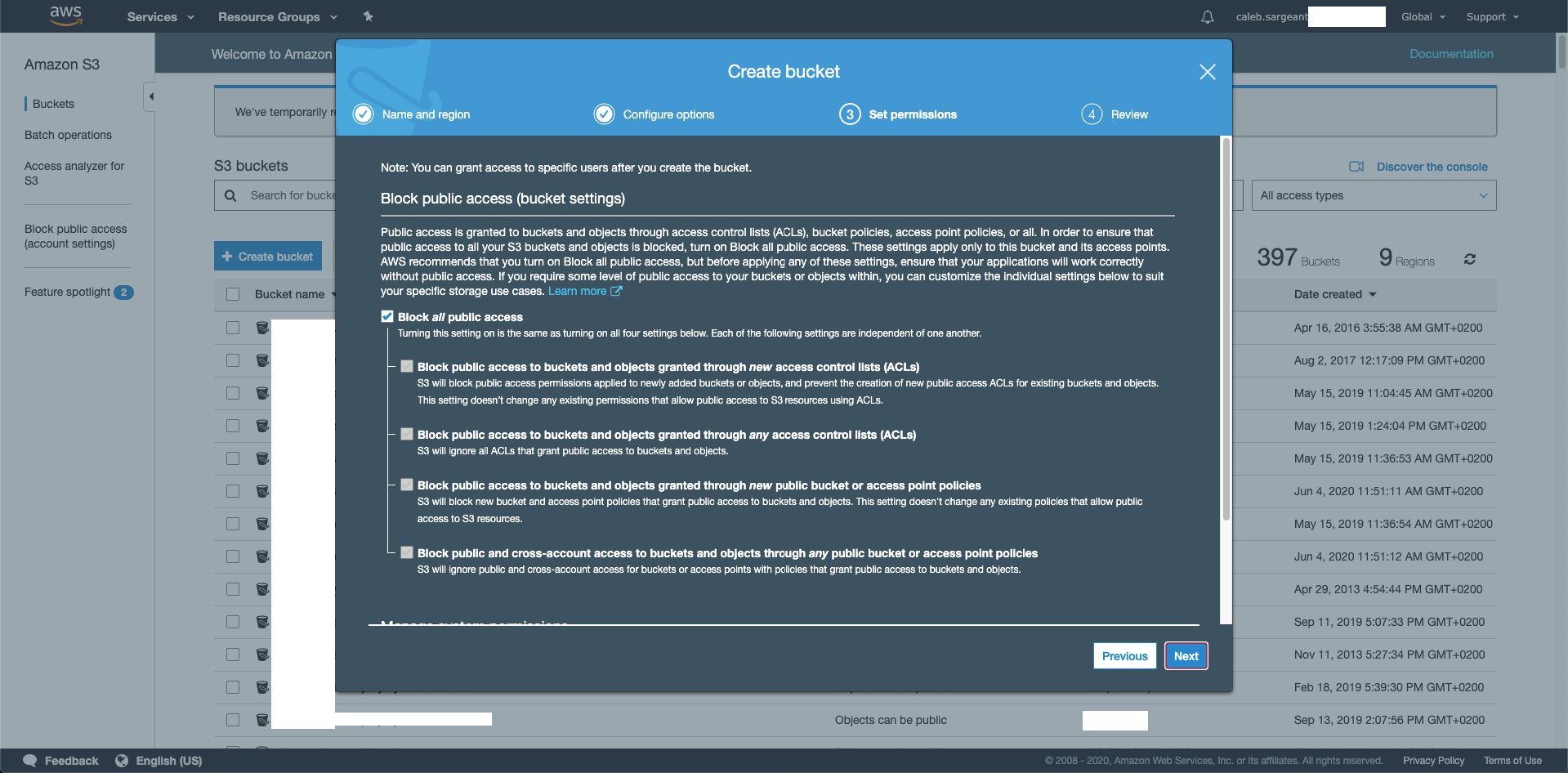
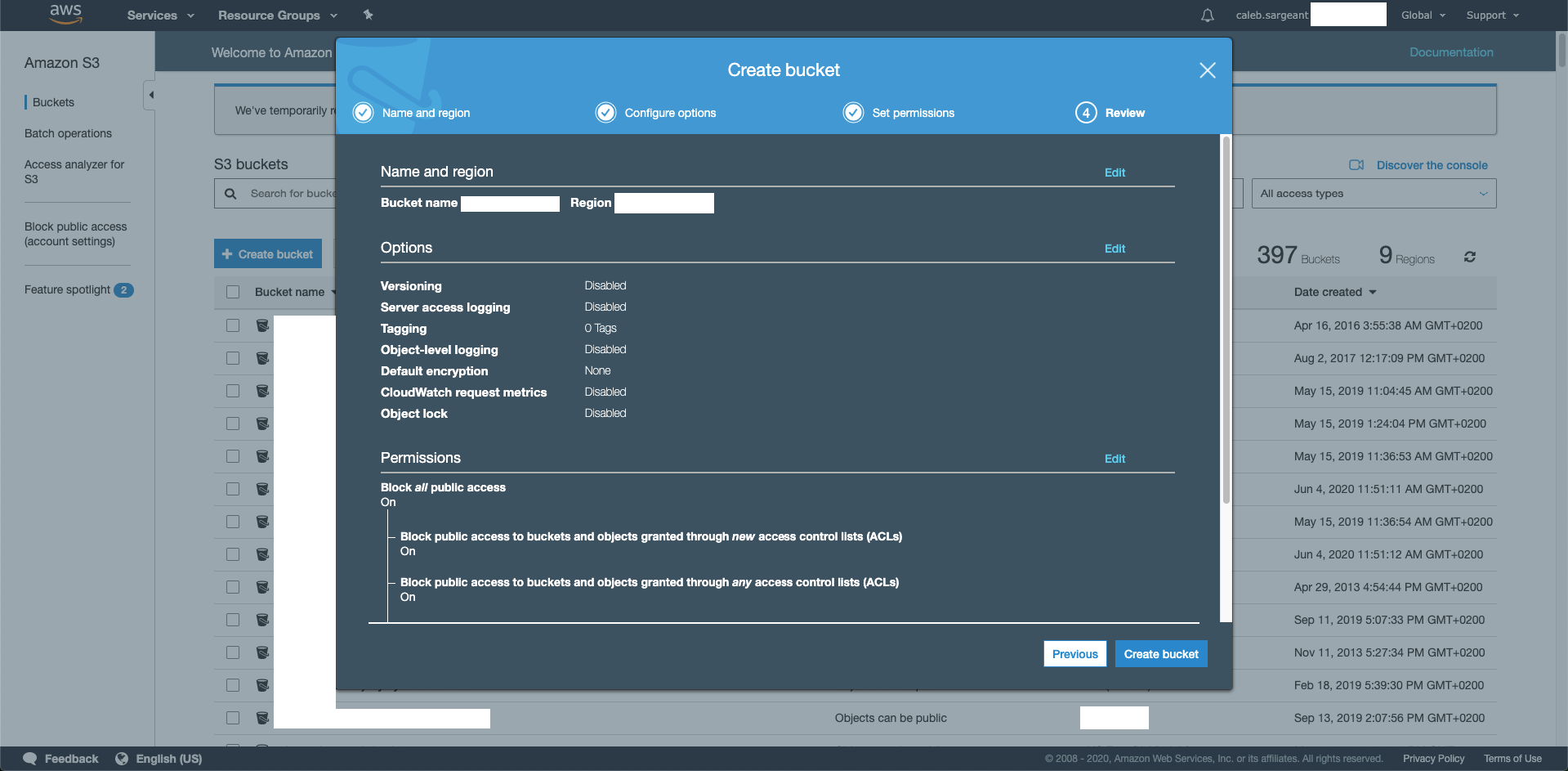
Create an S3 Bucket with the default settings (permission settings to follow):
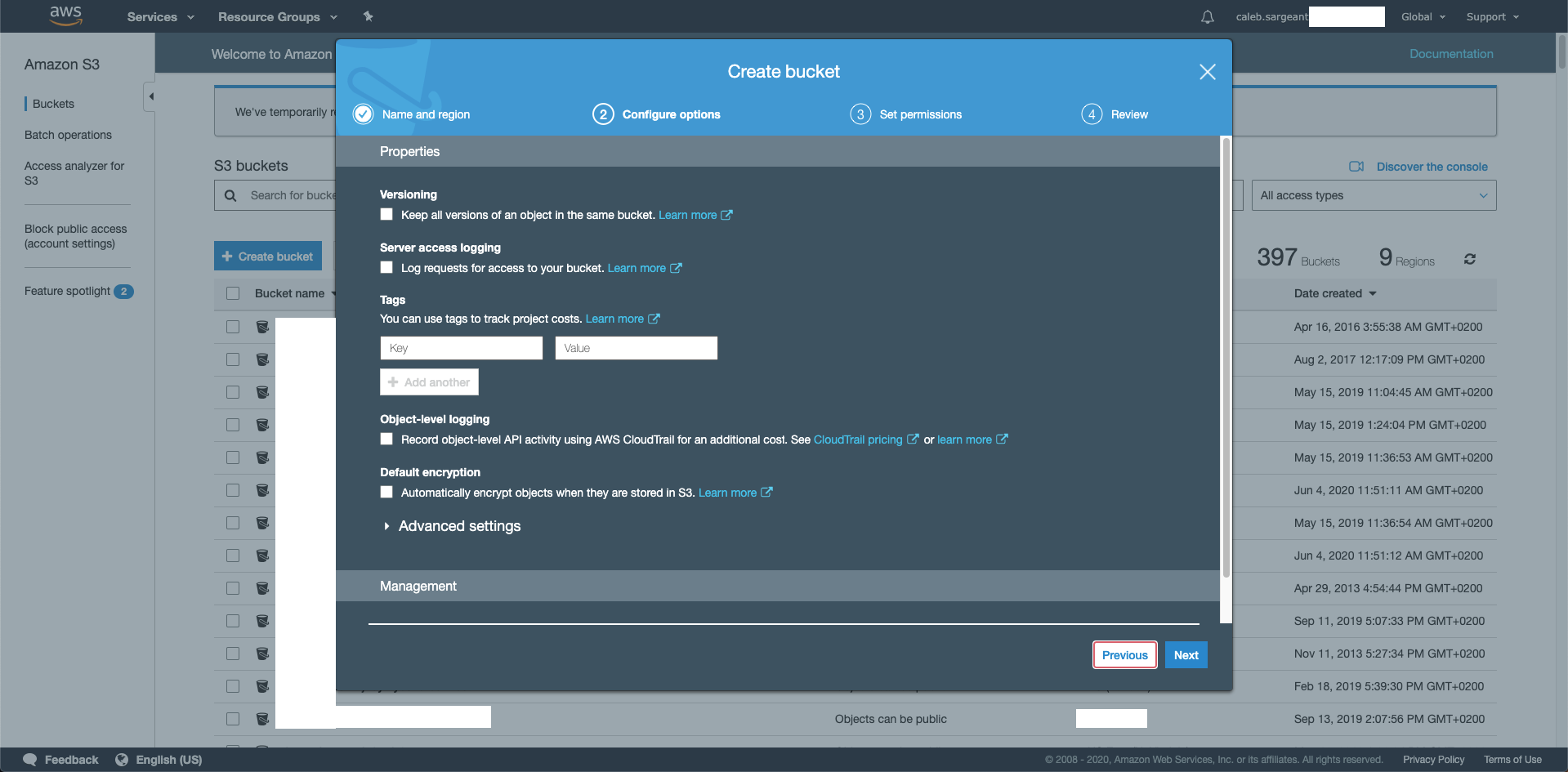
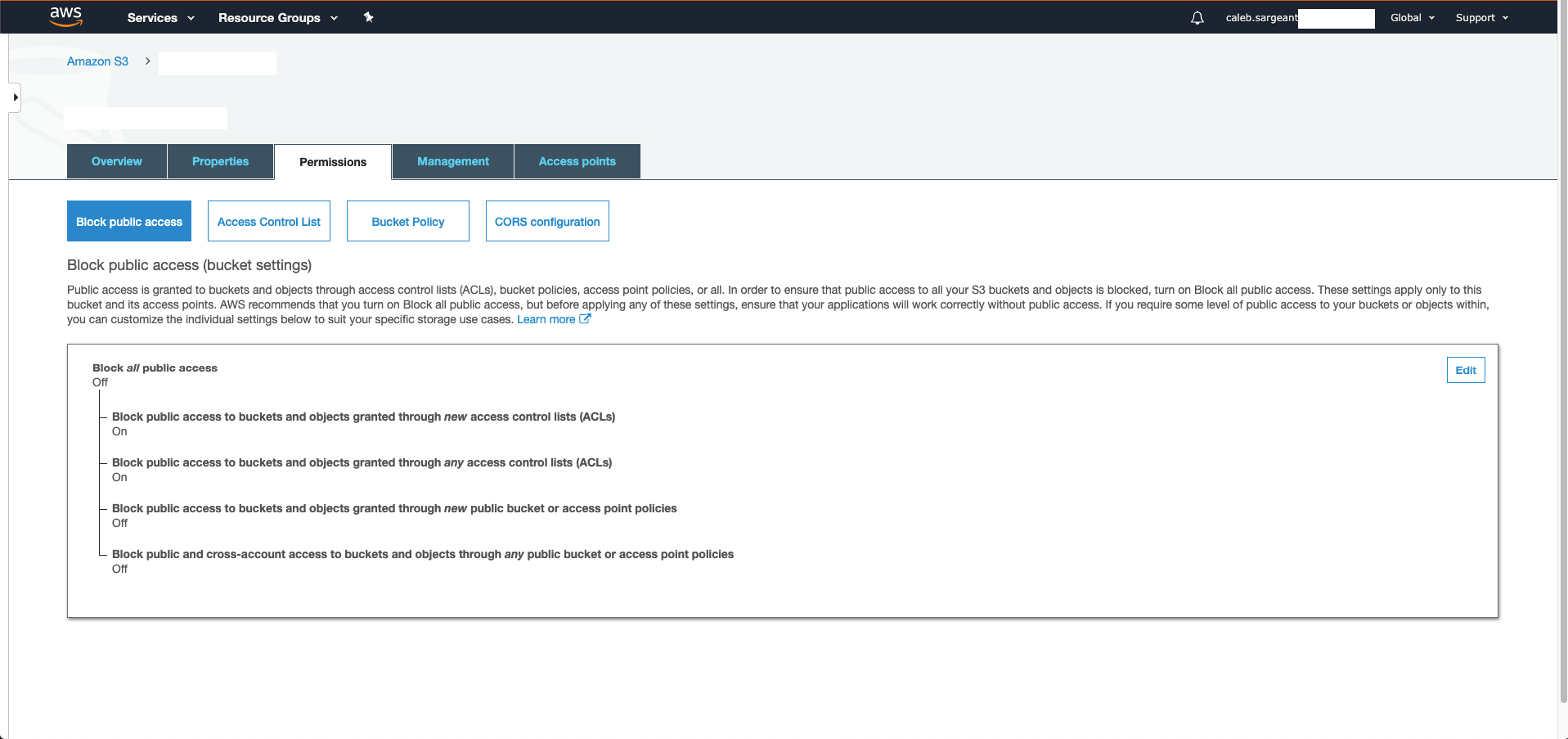
Modify the permission setting to allow a Bucket Policy (this could have been done in creating the bucket).
Create the Bucket Policy:
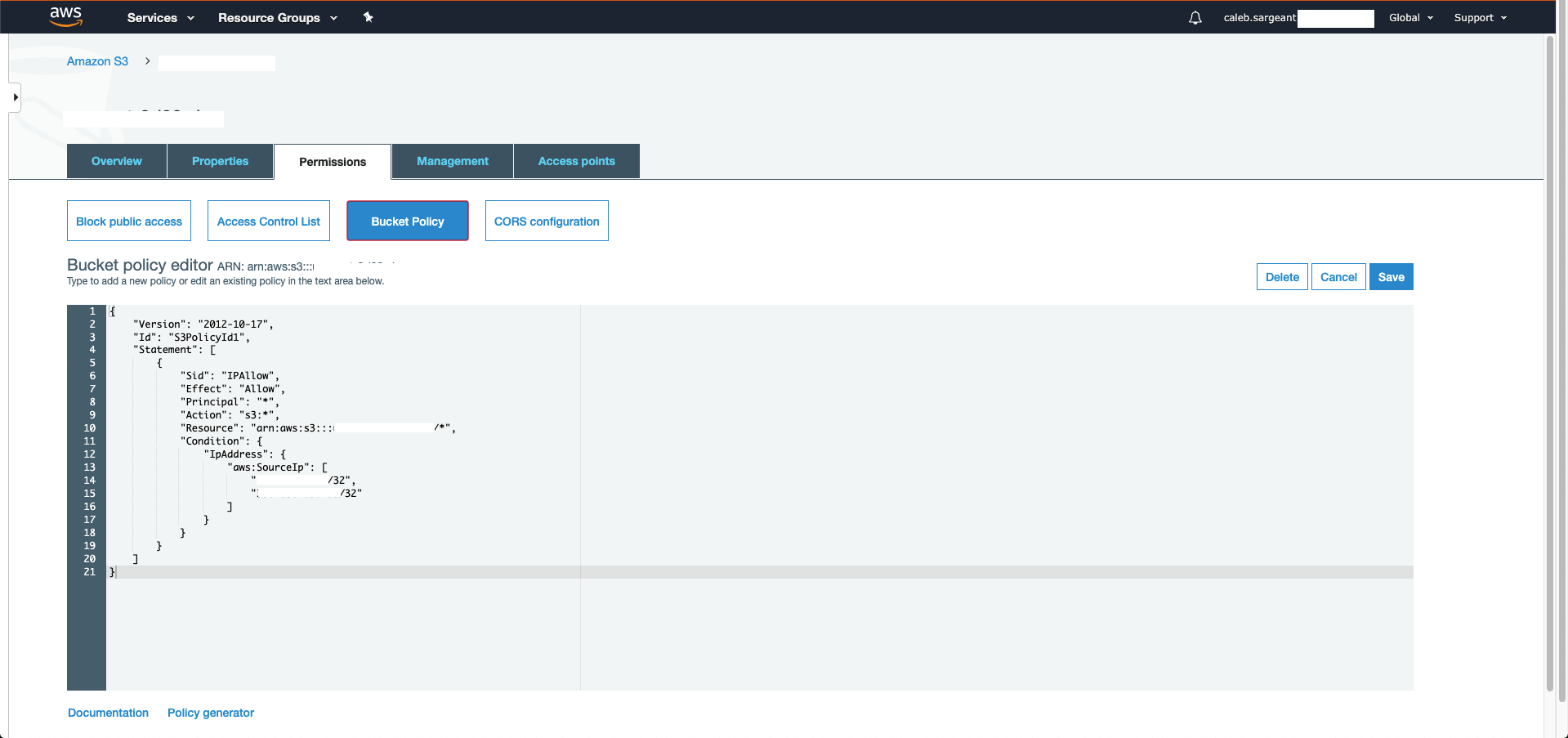
The below bucket policy allows only x.x.x.x/32 and y.y.y.y/32 access.
{
  "Version": "2012-10-17",
  "Id": "S3PolicyId1",
  "Statement": [
      {
          "Sid": "IPAllow",
          "Effect": "Allow",
          "Principal": "*",
          "Action": "s3:*",
          "Resource": "arn:aws:s3:::bucketname/*",
          "Condition": {
              "IpAddress": {
                  "aws:SourceIp": [
                      "x.x.x.x/32",
                      "y.y.y.y/32"
                  ]
              }
          }
      }
  ]
}
You can now copy files directly from the S3 bucket onto the ASA:
asa# copy  https://bucketname.amazonaws.com/anyconnect-linux64-4.8.02042-webdeploy-k9.zip disk0:/anyconnect-linux64-4.8.02042-webdeploy-k9.zip
Address or name of remote host [bucketname.amazonaws.com]?

Source filename [anyconnect-linux64-4.8.02042-webdeploy-k9.zip]?

Destination filename [anyconnect-linux64-4.8.02042-webdeploy-k9.zip]?

Accessing https://bucketname.amazonaws.com/anyconnect-linux64-4.8.02042-webdeploy-k9.zip...!!!!!!!!!!!!!!!!!!!!!!!!!!!!!!!!!!!!!!!!
Writing file disk0:/anyconnect-linux64-4.8.02042-webdeploy-k9.zip...
!!!!!!!!!!!!!!!!!!!!!!!!!!!!!!!!!!!!!!!
40004376 bytes copied in 2.90 secs (20002188 bytes/sec)