Group Policy
BGInfo
- Download BgInfo from here.
- Do the following in Group Policy Management:
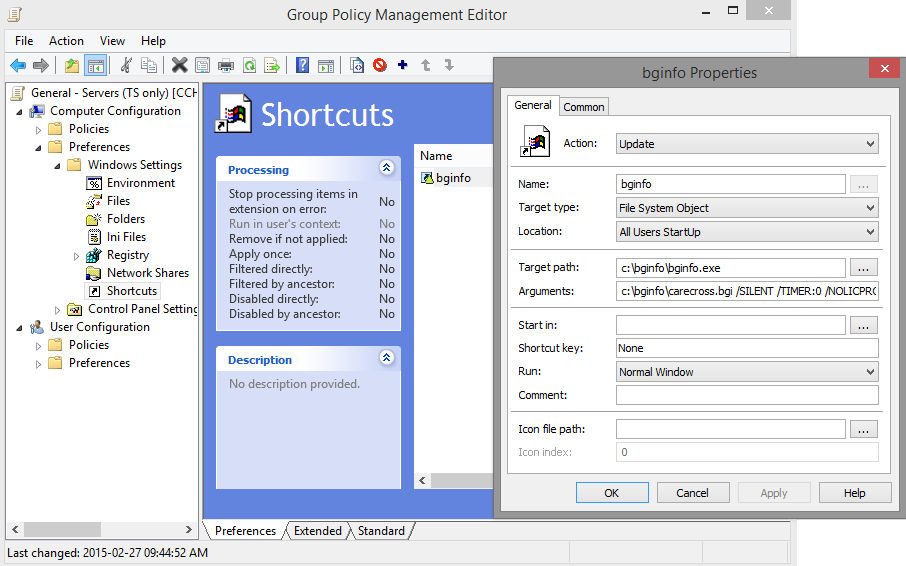
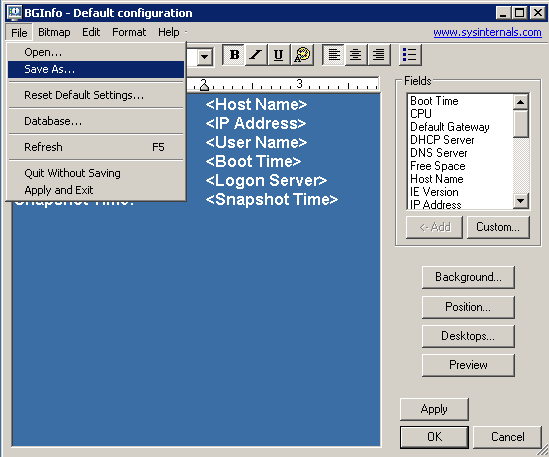
- Edit the BGInfo settings to suit your needs.
- Save your settings in the same place as bginfo.exe.
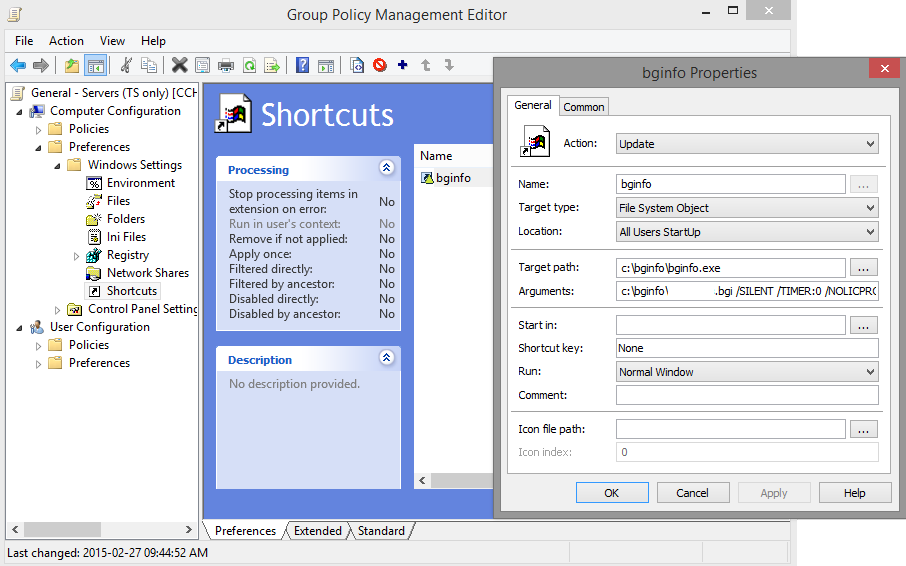
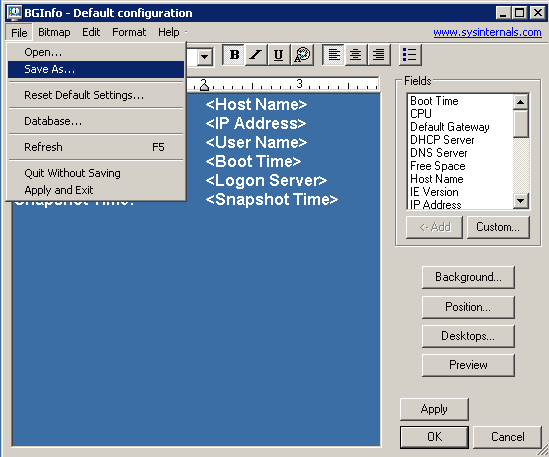
- Add
C:\bginfo\name.bgi /SILENT /TIMER:0 /NOCLIENTPROMPTto the argument field in the shortcut property in Group Policy Management.
Disable Sound
Under Computer Configuration, under Policies, under Administrative Templates, do the following:

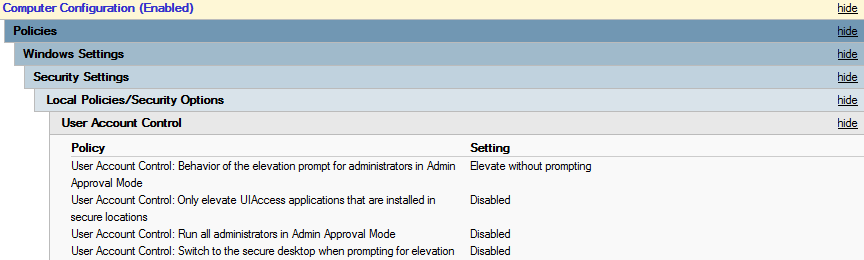
Disable UAC
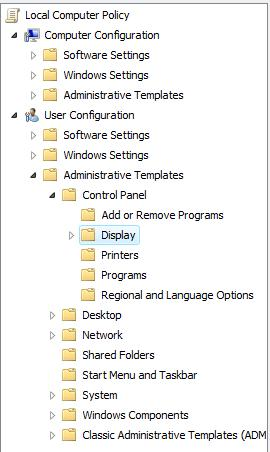
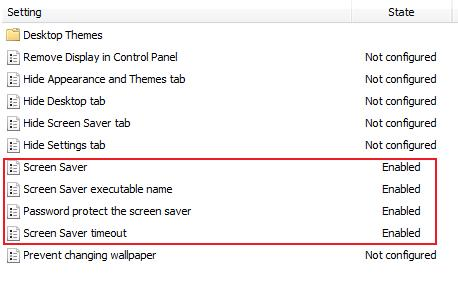
Lock Computers When Idle
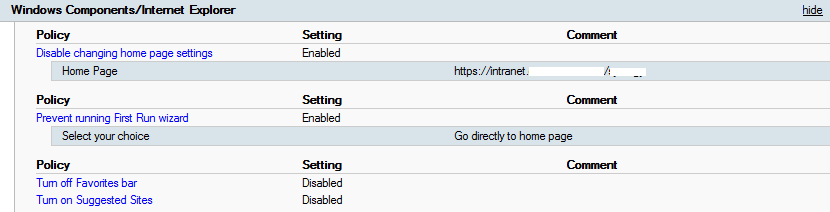
Internet Explorer Settings
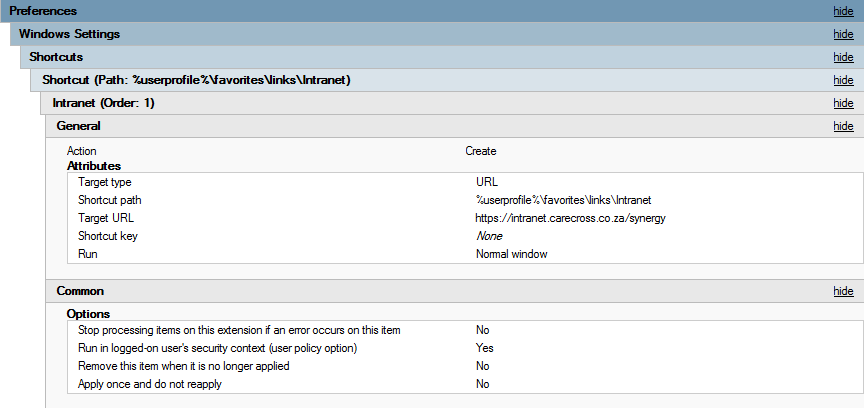
Favourites for Intranet
Under Computer Configuration, under Preferences, under Windows Settings, under Shortcuts, do the following:
Homepage
Trusted Sites Zone

License Server - Point TS to License Server
Under Computer Configuration, under Policies, under Administrative Templates, do the following:

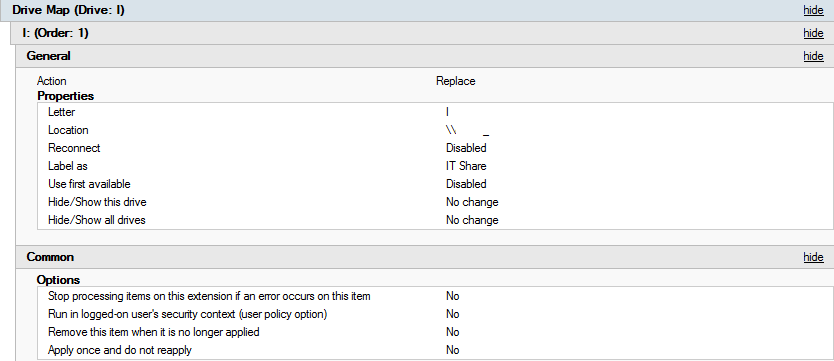
Mapped Drives
Under User Configuration, under Preferences, under Windows Settings, under Drive Maps, do the following:
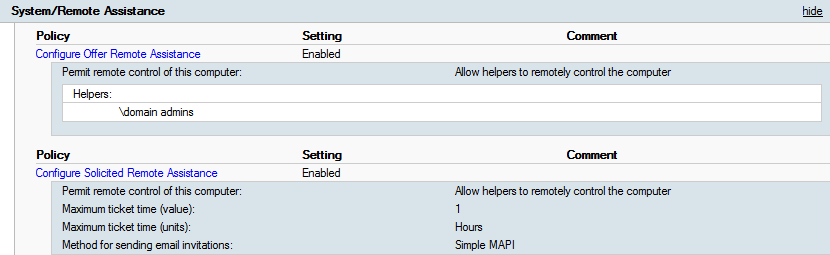
Remote Assistance
Under Computer Configuration, under Policies, under Administrative Templates, do the following:
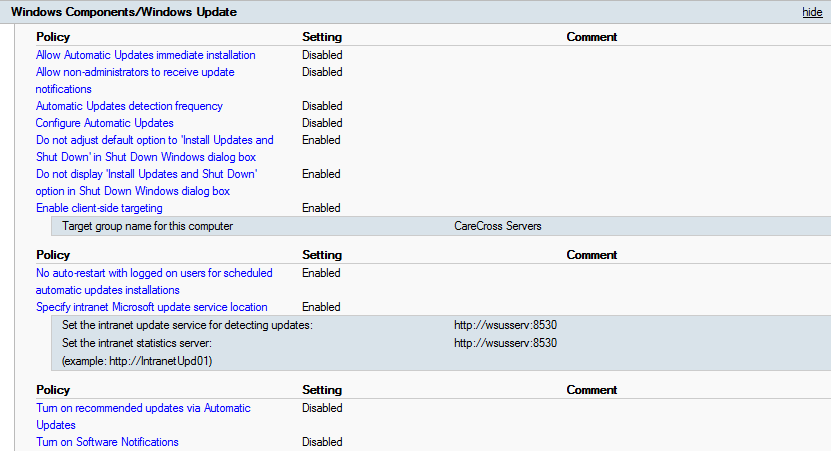
WSUS
Under Computer Configuration, under Policies, under Administrative Templates, do the following: